Homey integration for Stiebel Eltron heat pumps
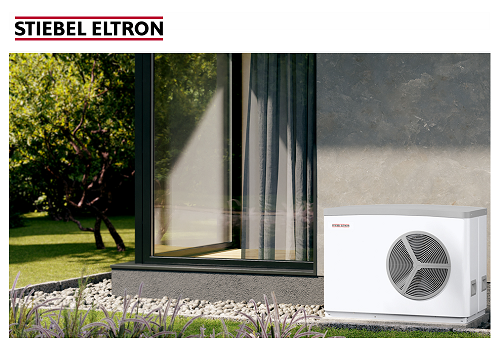
With this application, you can monitor the activity of your Stiebel Eltron heat pump and easily integrate the system into the Homey ecosystem. You have insight into the system's status at any time. You can easily change the heating mode or set the heating and warm water temperatures. Track the temperature of the warm water buffer and use the Smart Grid options to preheat at the most favorable times. This allows you to optimize the energy consumption of your heat pump.
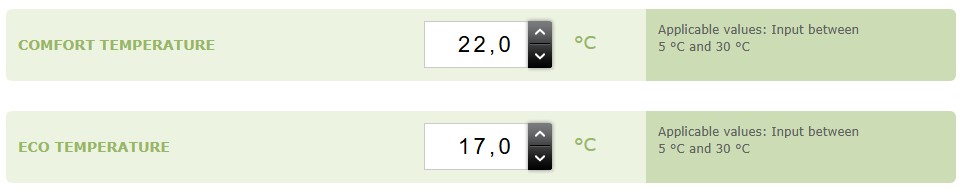
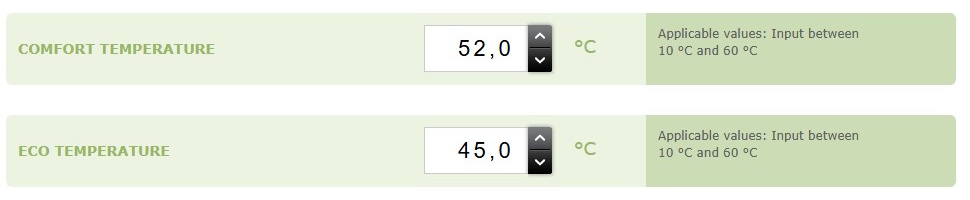
The heat pump has a heating and a warm water system. In the ISG webportal you can set a Comfort and Eco temperature for both systems. The heat pump switches between Comfort and Eco temperatures based on the operation mode. If you have selected Programmed Operation, a time schedule is used to switch between the temperatures. This schedule can be set in the ISG admin portal.
Heating Temperatures
Warm water Temperatures
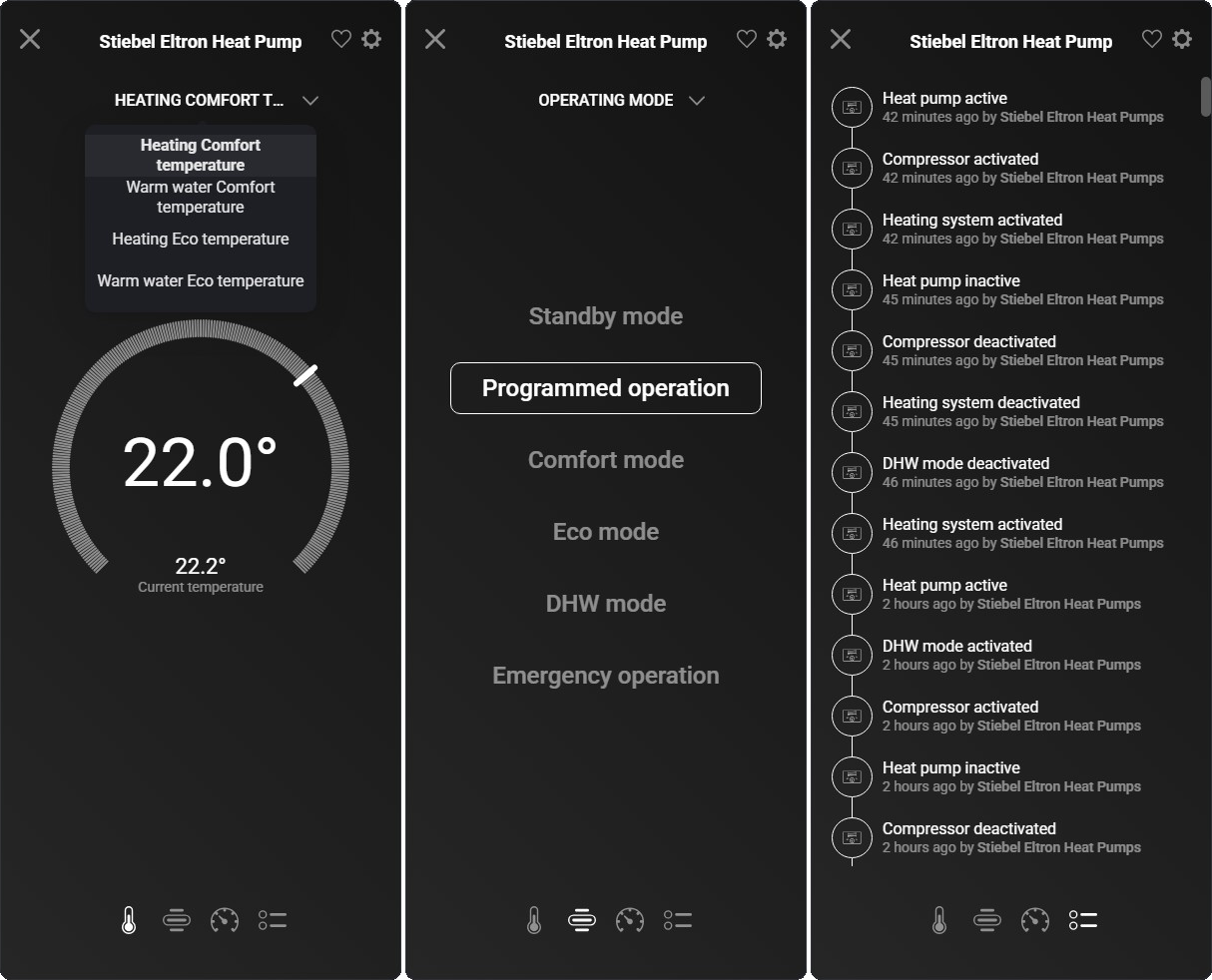
In the Homey app you can now set the Comfort and Eco temperature for the heating and warm water system, simply switch the heat pump operation mode or check the heat pump activity in the log:
Supported Heat pumps
Currently we support the Stiebel Eltron integral ventilation units and heat pumps that can be controlled by the Internet Service Gateway (ISG web) and have the modbus interface available. The ISG controls LWZ-Series integral ventilation units and WPM based heat pumps like the WPL/WPE/WPF-Series. There are separate Homey devices available for these two types.
Heat pump manager
This application uses the Modbus TCP/IP API interface of the Internet Service Gateway (ISG web). The ISG is a physical device that controls the heat pump and is connected to the local network. The ISG uses DHCP to obtain an IP address. If no DHCP server is available, the default IP address 192.168.0.126 is used. Ping 'SERVICEWELT' to find the correct IP address or check your router. You can then enter this IP address in the settings.
Smart Grid Ready
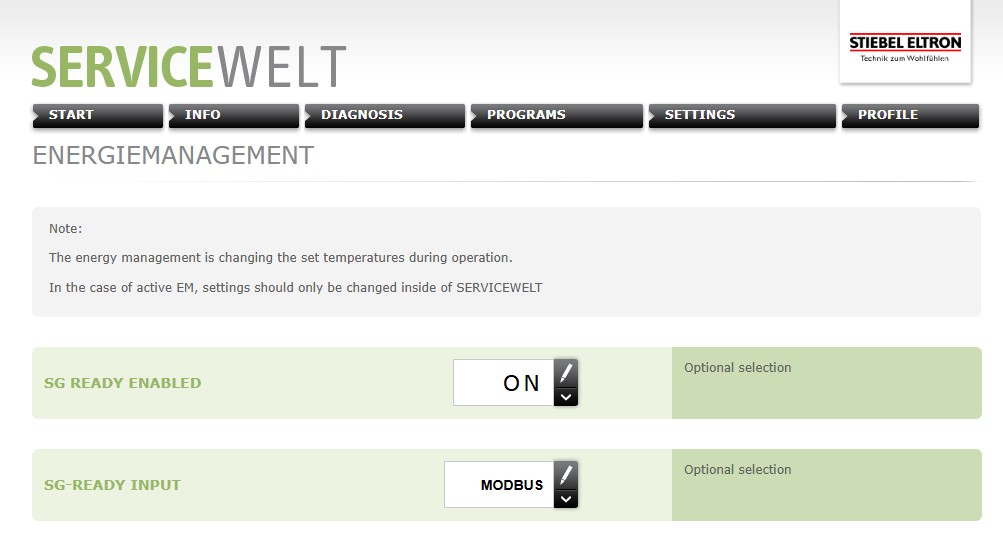
The ISG is SG-Ready and can be controlled via the API interface. Make sure SG-Ready is enabled in the admin interface and that the SG-Ready input is set to Modbus. You can find these settings in : MENU -> SETTINGS -> ENERGIEMANAGEMENT
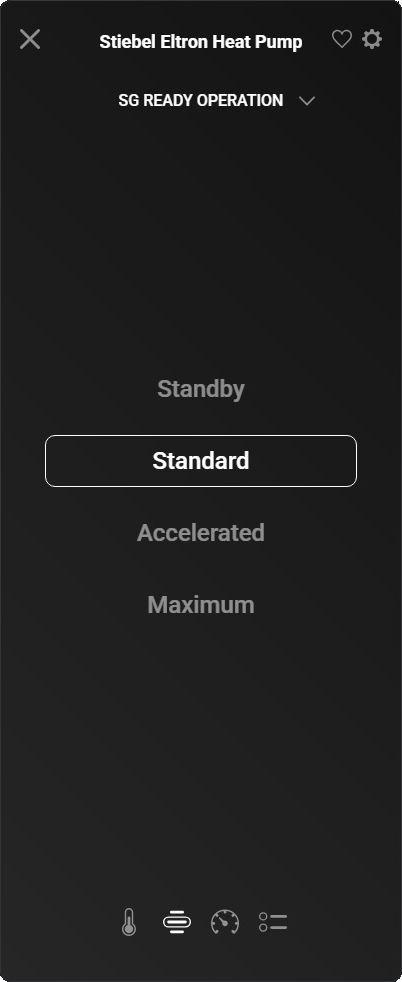
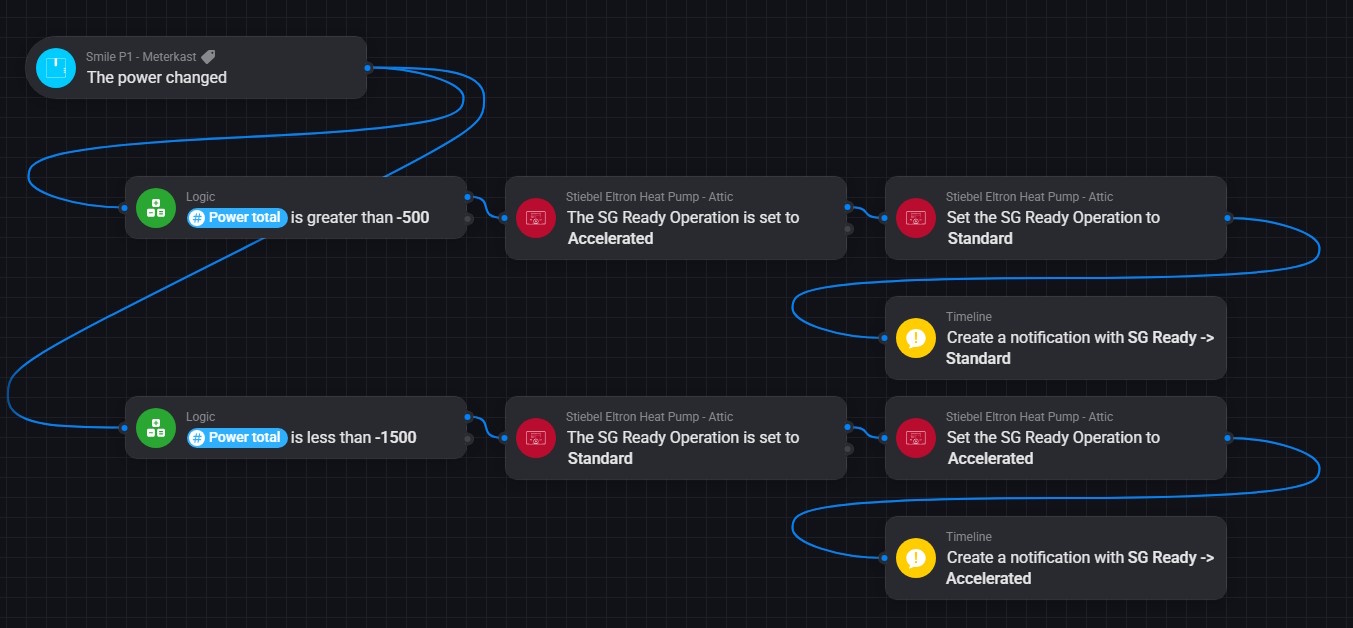
When there is a surplus of solar power, you can run the heat pump in Accelerated mode, to preheat hot water for later use. For normal operation SG-Ready is set to standard mode.
You can set the SG-Ready state manually in the Homey app:
You can also set the SG-Ready state in a flow when there is power going to the grid:
Power Consumption
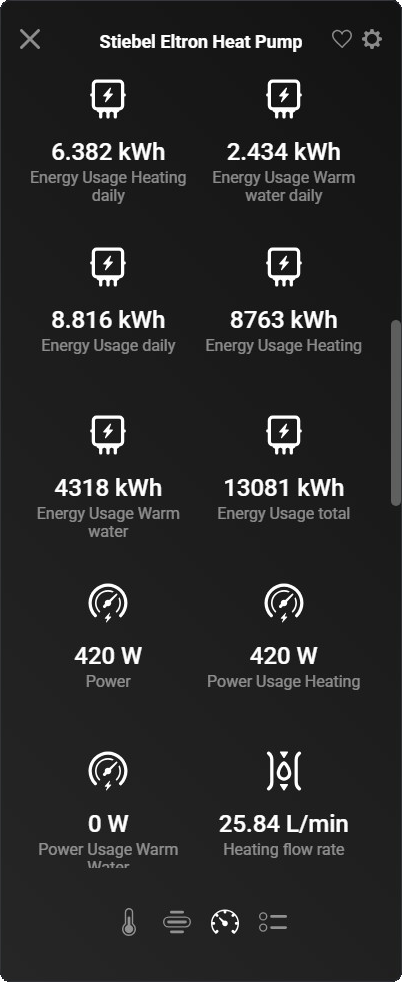
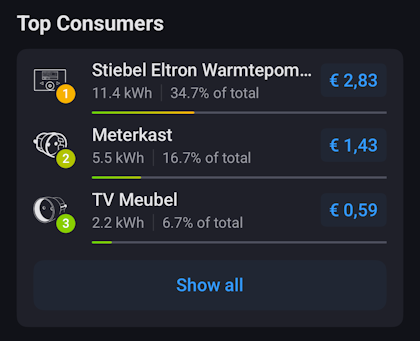
Monitoring the power consumption of the heat pump via the API interface presents some challenges. The ISG only stores the daily and total energy consumption, and this data is only partially available in the API interface. With a standard ISG, it is therefore not possible to monitor power consumption. However, the story doesn't stop there. The community has discovered that it is possible to modify the ISG so that the missing fields become available. If you have made this modification, you can specify this in the settings and the application can use it. Power usage will then be calculated based on the difference in energy consumption.
Insights
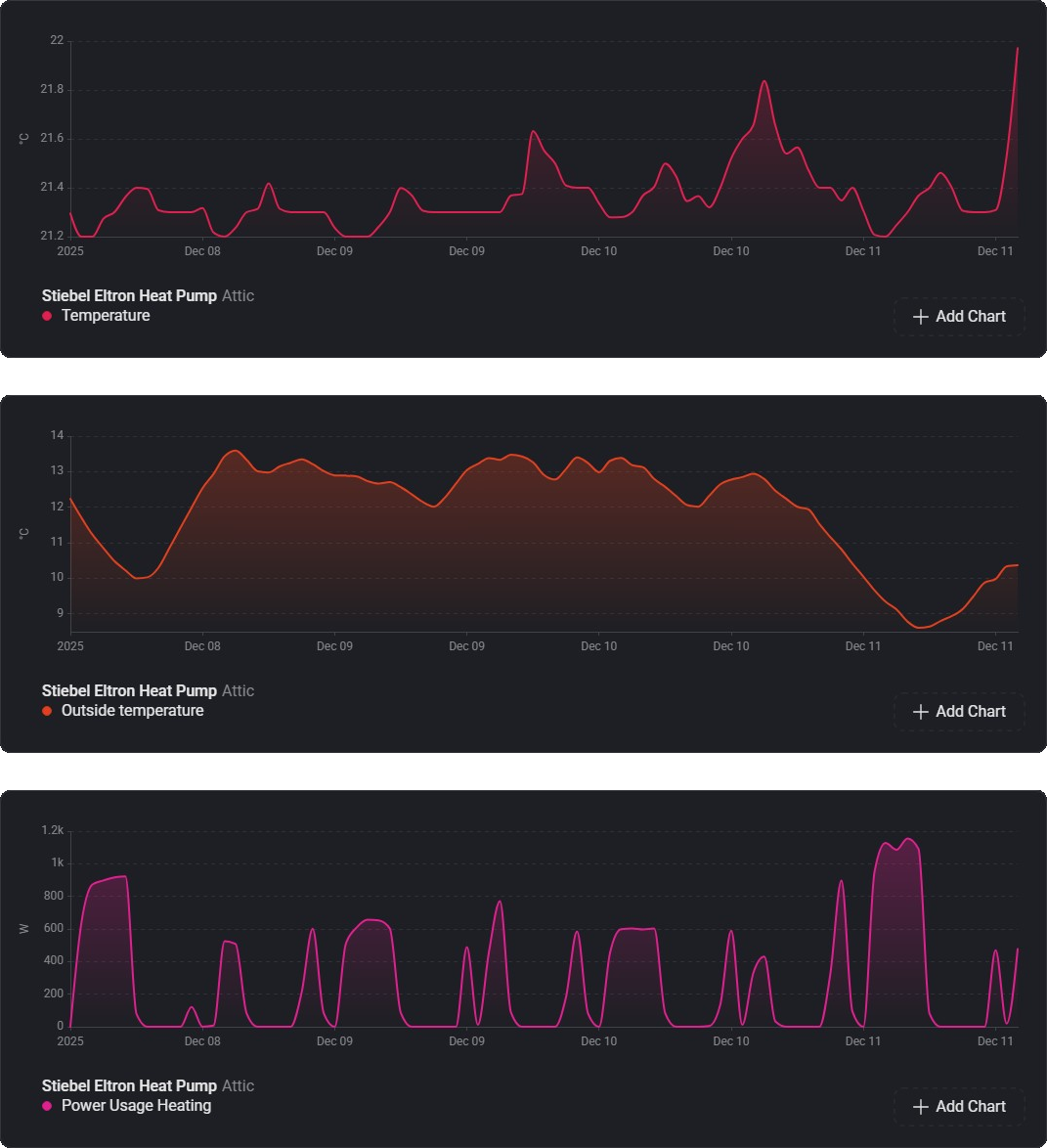
There are a number of charts available. In the below charts the room temperature is compared with the outside temperature and the power used for heating of the last week:
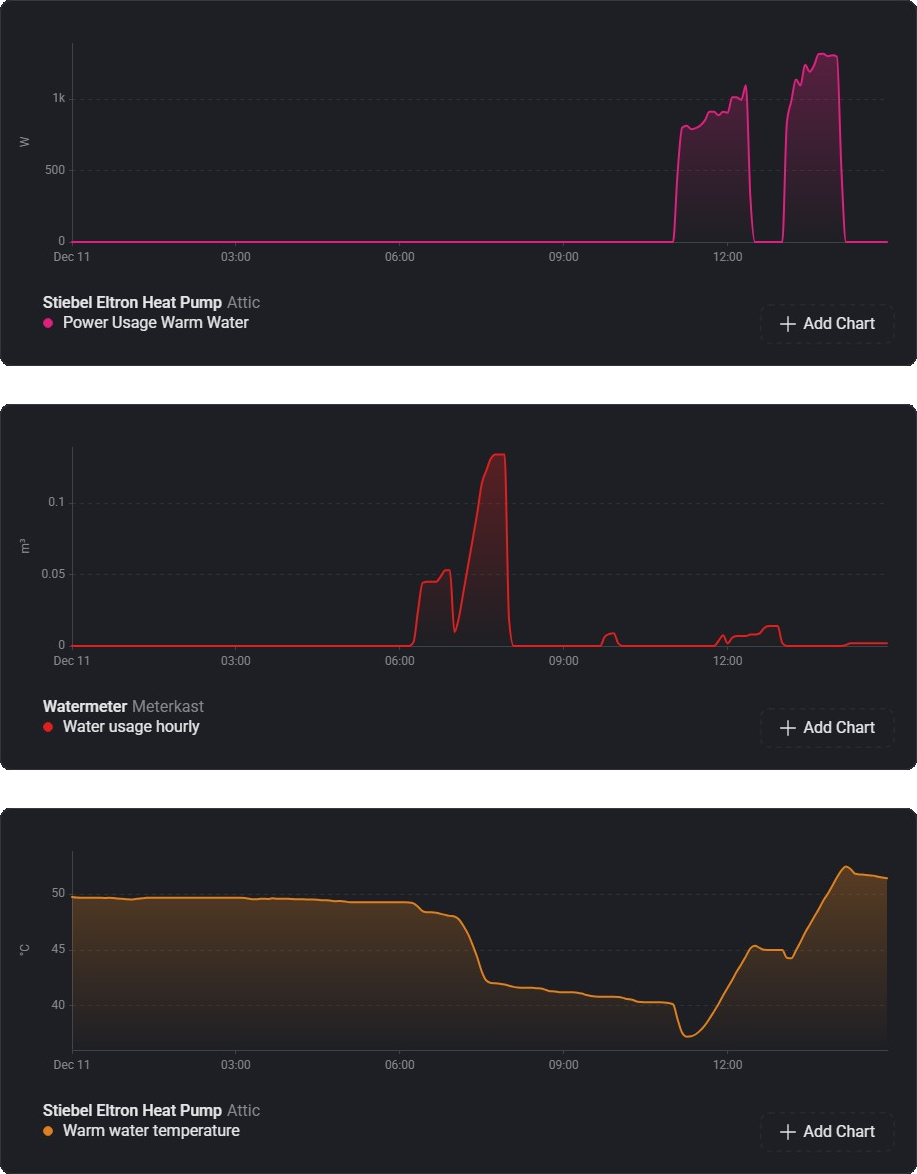
Below shows the warm water usage from my water meter, the temperature of the warm water buffer and the energy used to reheat the water. You can clear see the temperature dropping when the showers are used in the morning and the power needed to reheat the buffer for the next day:
History
The first version of this app was developed by Henk van Barneveld. Michel Hoek later took over the project, after which the application was rewritten and further developed into a comprehensive heat pump management application.
Links
- Stiebel Eltron heat pump Homey App: Homey App
- More on the ISG Web Modbus Interface: Stiebel Eltron ISG Modbus interface
- Tutorial for adding additional fields to the ISG Modbus API: Tutorial
- Community changes of the ISG web modbus interface: zusätzliche Objekte im ISGweb für modbus/TCP freischalten